Game Patch Notes AIO
Built a full-stack AI dashboard to replace a browser full of tabs
Keeping up with live-service games means patch notes on the official site, balance discussions on Reddit, breakdown videos on YouTube, and a browser full of tabs you meant to close last week. The information exists, getting to it doesn't.
ROLE
Product Designer and Developer
TOOLS
Next.js, TypeScript, TailwindCSS, Gemini API
TEAM
Solo project
DURATION
2 days
OVERVIEW_
What's the problem?
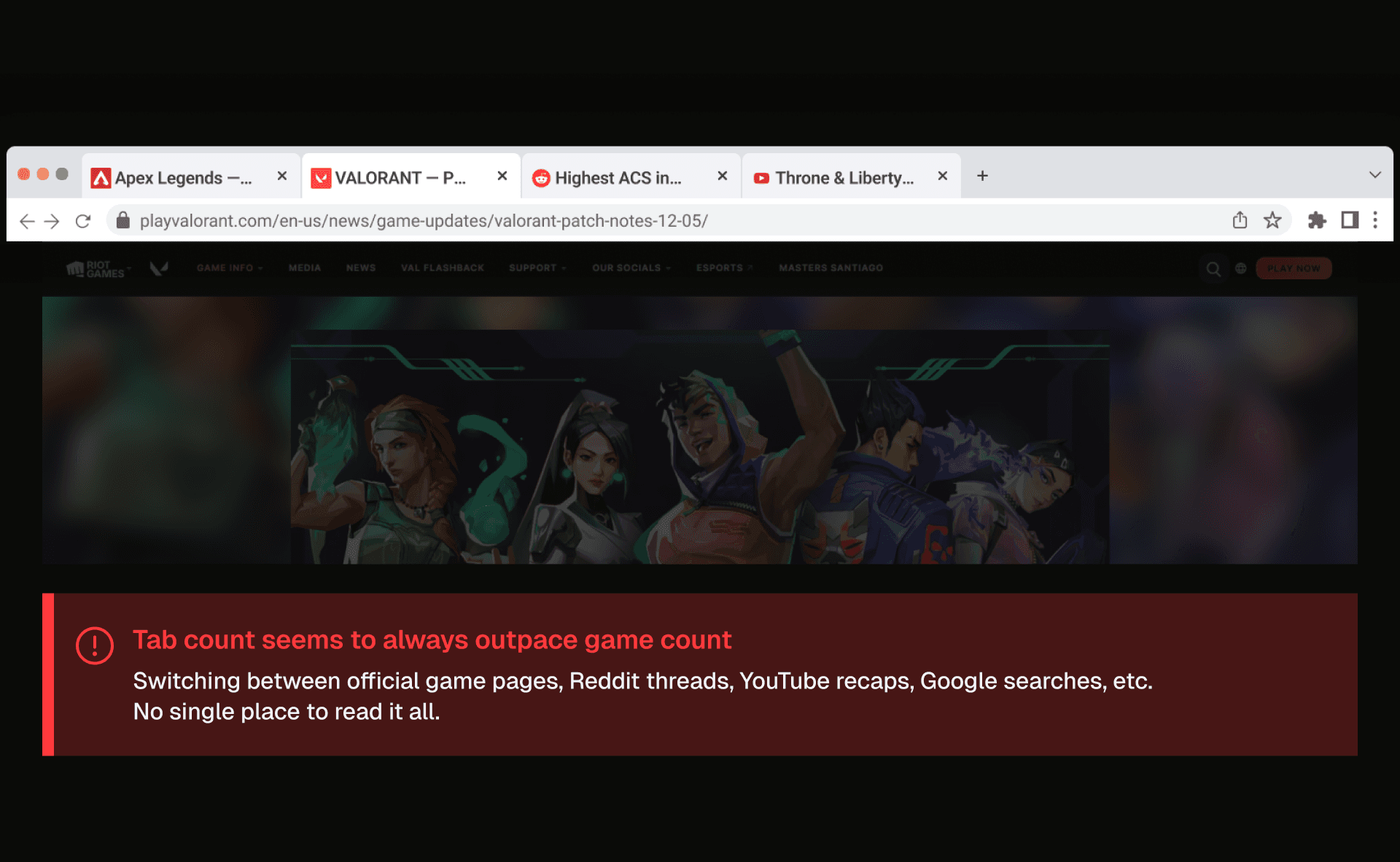
Keeping up with multiple live-service games means constantly switching between tabs, like official patch note pages, developer blogs, Reddit threads, YouTube channels, etc. For players tracking even three or four titles, it's a pretty fragmented and time-consuming process that slowly builds up to be an annoyance.
Every time a new update dropped, I'd find myself scattered across tabs, losing time piecing together information that should have been in one place.
INSIGHTS_
FRAGMENTED SOURCES
Each game lives on its own blog, site, or developer feed. No unified place to check in across titles.
NO SINGLE SOURCE OF TRUTH
Community summaries exist on Reddit and YouTube, but they're delayed, opinion-filtered, and inconsistent in format. Not reliable enough to replace reading the source.
HIGH READING LOAD
Patch notes are detailed by nature. Getting the gist of what changed across four or more games means reading thousands of words per update cycle.
CHALLENGE_
Build a single destination that surfaces the latest updates across multiple games, reducing reading load without losing the accuracy of official sources.
SOLUTION_
The obvious solution didn't hold up
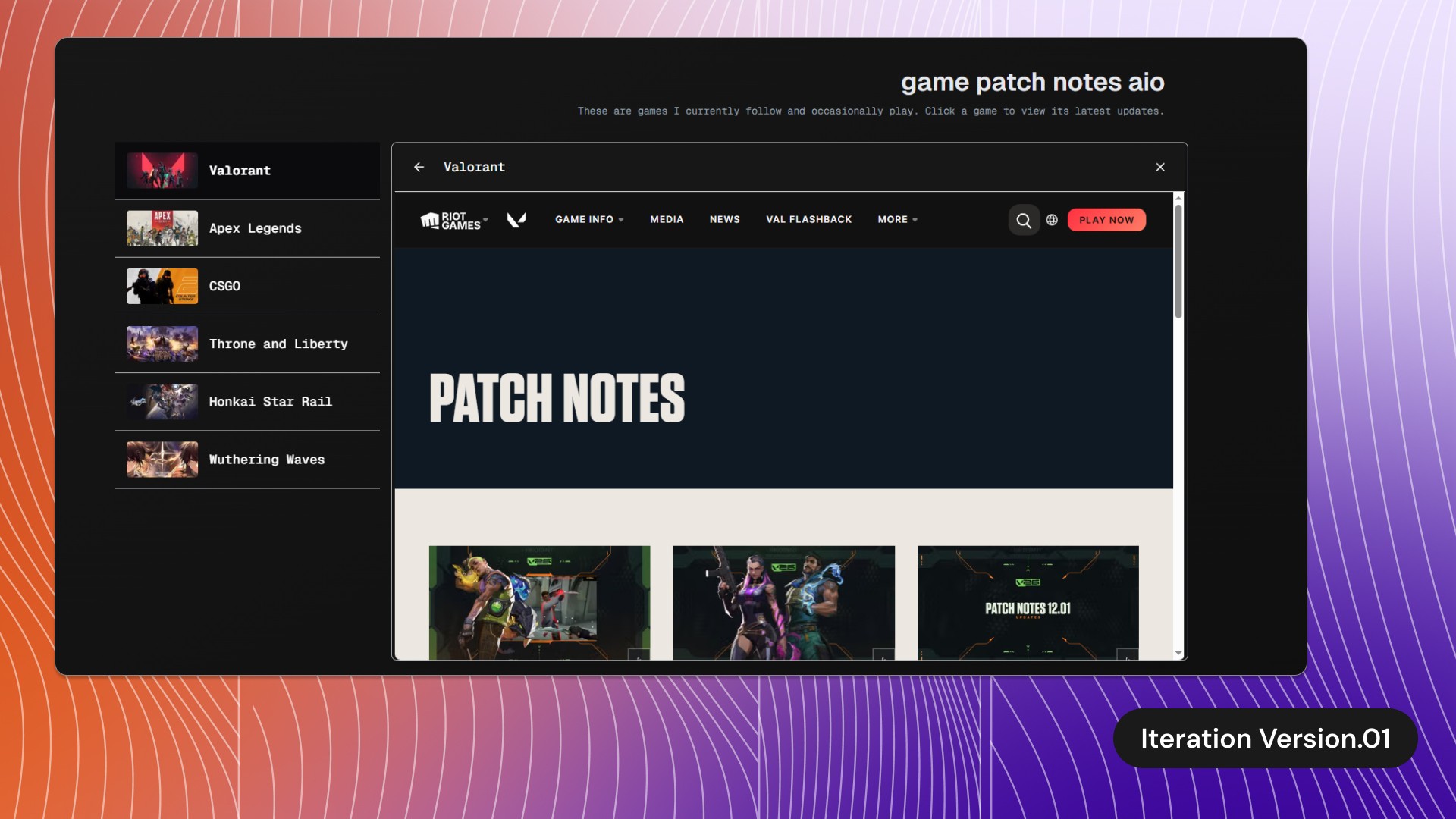
At first glance, the solution seemed pretty straightforward: develop a single-page dashboard that centralizes patch notes and game updates for every title I follow, replacing the multi-tab workflow without sacrificing speed or usability.
My initial instinct was to use iframes to embed each game's update page directly. It was the fastest path to a working prototype and would have kept everything technically "from the source". But it introduced a real UX problem: browser plugin conflicts and cross-origin restrictions meant content would silently fail to load for some users. An experience that works for me but breaks for others isn't a real solution.
So I changed course.
Instead of embedding external pages, I built a lightweight data pipeline. I created a games.json file cataloguing each game title I follow, along with the URL for that game's blog or news feed. On load, the app fetches the most recent article from each game's list - the source of truth, pulled directly rather than framed.
Building a pipeline that scales without touching component logic
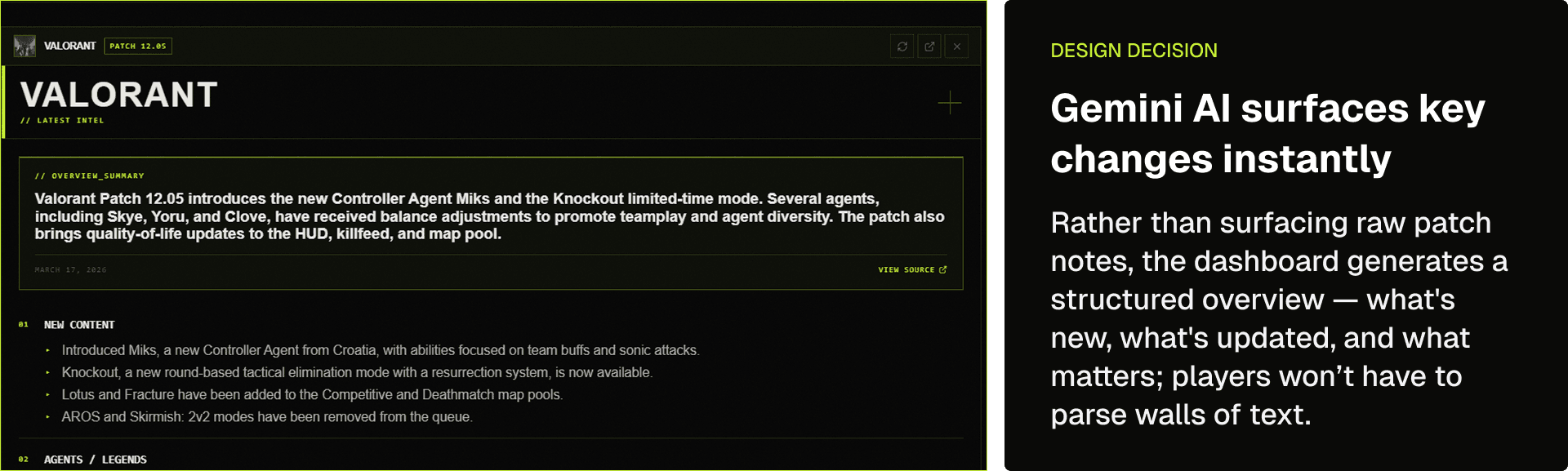
Once the data fetching approach was settled, I layered Gemini AI on top to solve the reading load problem. Each fetched article is passed to the API, which generates a concise, high-level summary.
01 — games.json as a config layer
Decouples the data source from the UI entirely. Adding or removing a game means editing one JSON file - no component logic to touch, no refactoring required.
02 — Gemini AI summarization
Transforms raw patch note articles into scannable overviews. Addresses the original pain point directly, high reading load, without losing the accuracy of official sources.
03 — Loading skeleton states
AI summary generation usually takes a moment. Skeleton screens give immediate visual feedback, making the perceived wait shorter and the interface feel more responsive while data loads.
04 — Single-page layout with consistent card structure
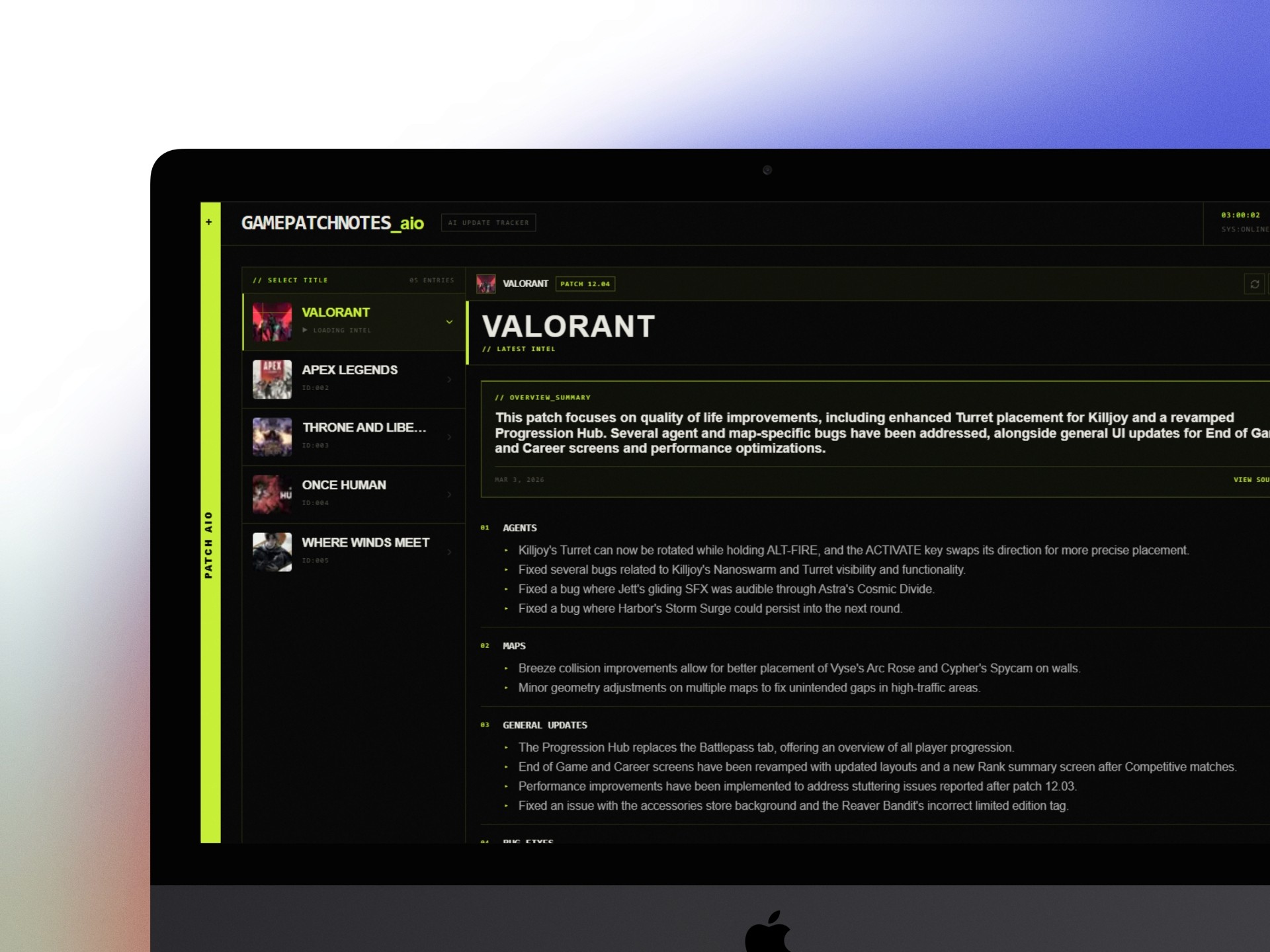
Everything stays visible without navigating away. Each game's content follows the same structure so users can scan across titles at a glance rather than reorienting for each one.
What I built
A live, deployed web app that aggregates and AI-summarizes the latest patch notes and update articles for multiple game titles into a unified dashboard. I can now check in on all my followed games from one URL, no clutter, no walls of text to parse, and no tab-switching required.

TAKEAWAYS_
Reflections on outcomes so far
I believe that pivoting away from iframes was the right move; it forced me to think of a more robust solution and directly address the compatibility issues that would have undermined the experience for users. The result is an architecture that's easier to maintain, easier to extend, and more reliable across environments.
What's next?
One direction I'm exploring is a structured agent card format that surfaces ability breakdowns alongside balance changes, making updates scannable at a glance rather than buried in text. The mockup below shows what this could look like in practice.
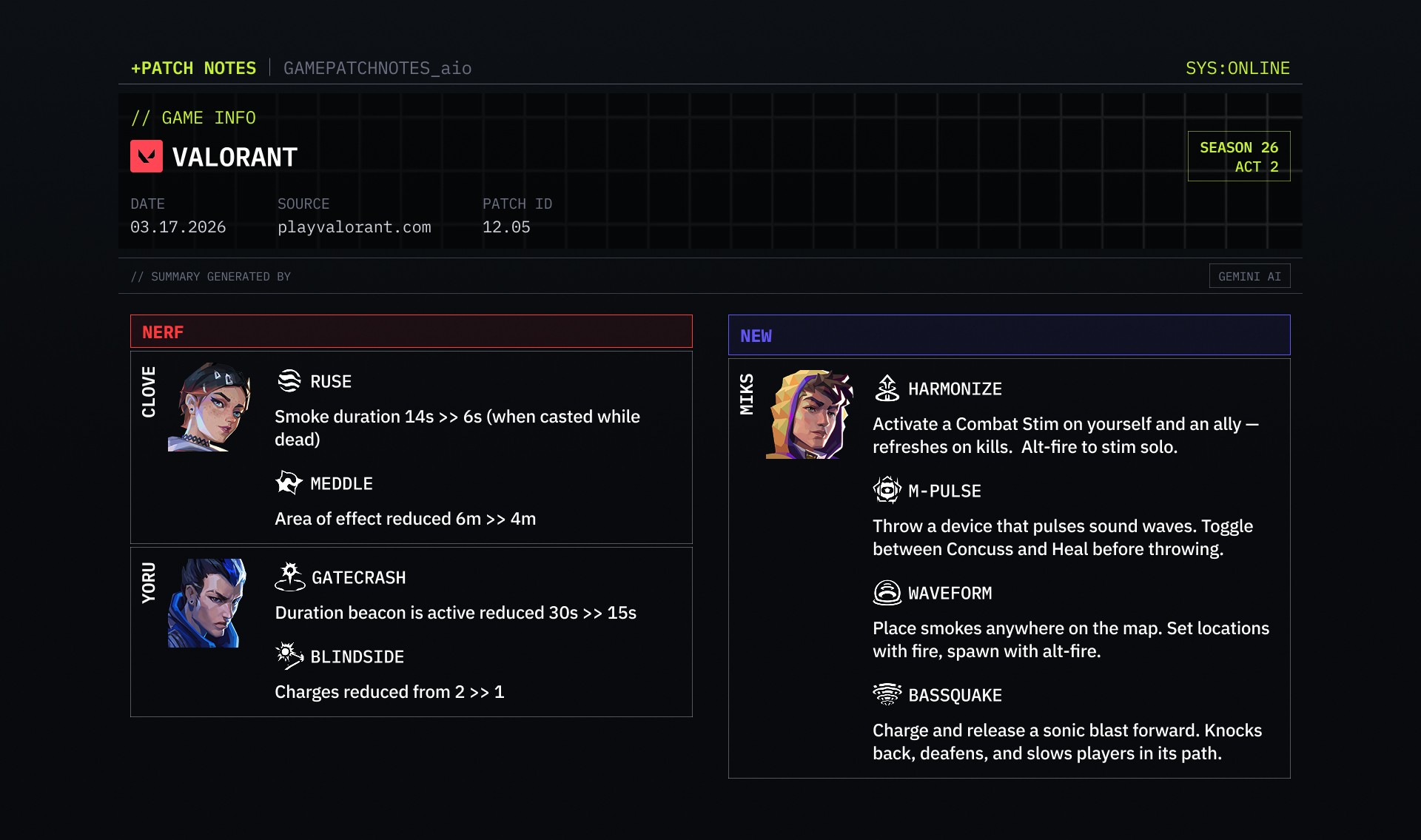
Further iterations can go deeper: pulling community reaction from Reddit or X alongside official notes would show not just what changed, but how players are responding to it. User customization, like pinning or reordering the game list, would make the tool feel personal rather than fixed.
This project was an intentional exercise in constraint-driven design: identify the real problem, challenge my first iteration when it falls short, and ship something that actually works. The result is a personal tool I can use daily and a foundation I'm excited to continue building on.